> ## Documentation Index
> Fetch the complete documentation index at: https://docs.stepai.co.jp/llms.txt
> Use this file to discover all available pages before exploring further.
# はじめに
> Reco 会話フロー作成ガイドへようこそ
# 会話フロー作成ガイド
会話フローは、AIオペレーターが電話で話す内容と分岐ロジックを視覚的に構築するツールです。
各「ブロック」が会話の1ステップを表し、ブロック同士をつなげることで通話全体の流れを設計します。
## 会話フローの作成手順
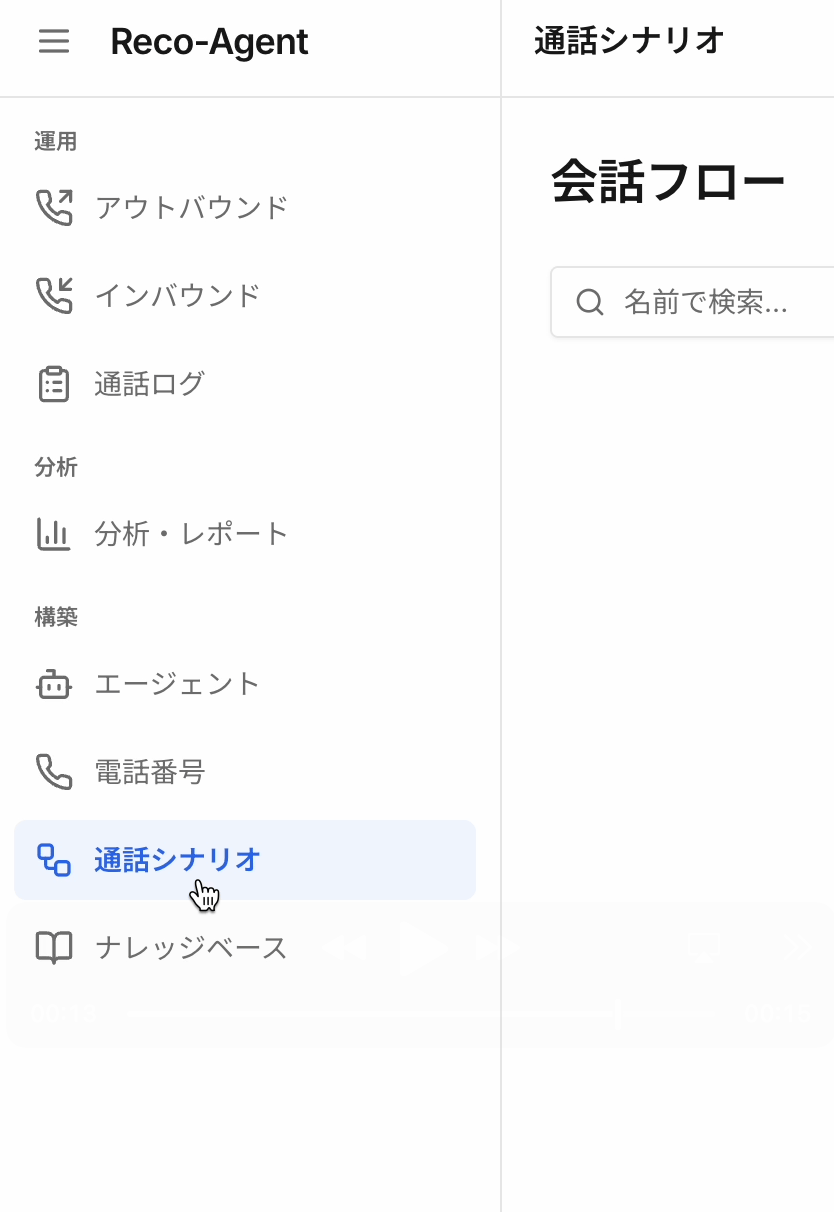
1. サイドバーの「構築」セクションから「通話シナリオ」をクリック
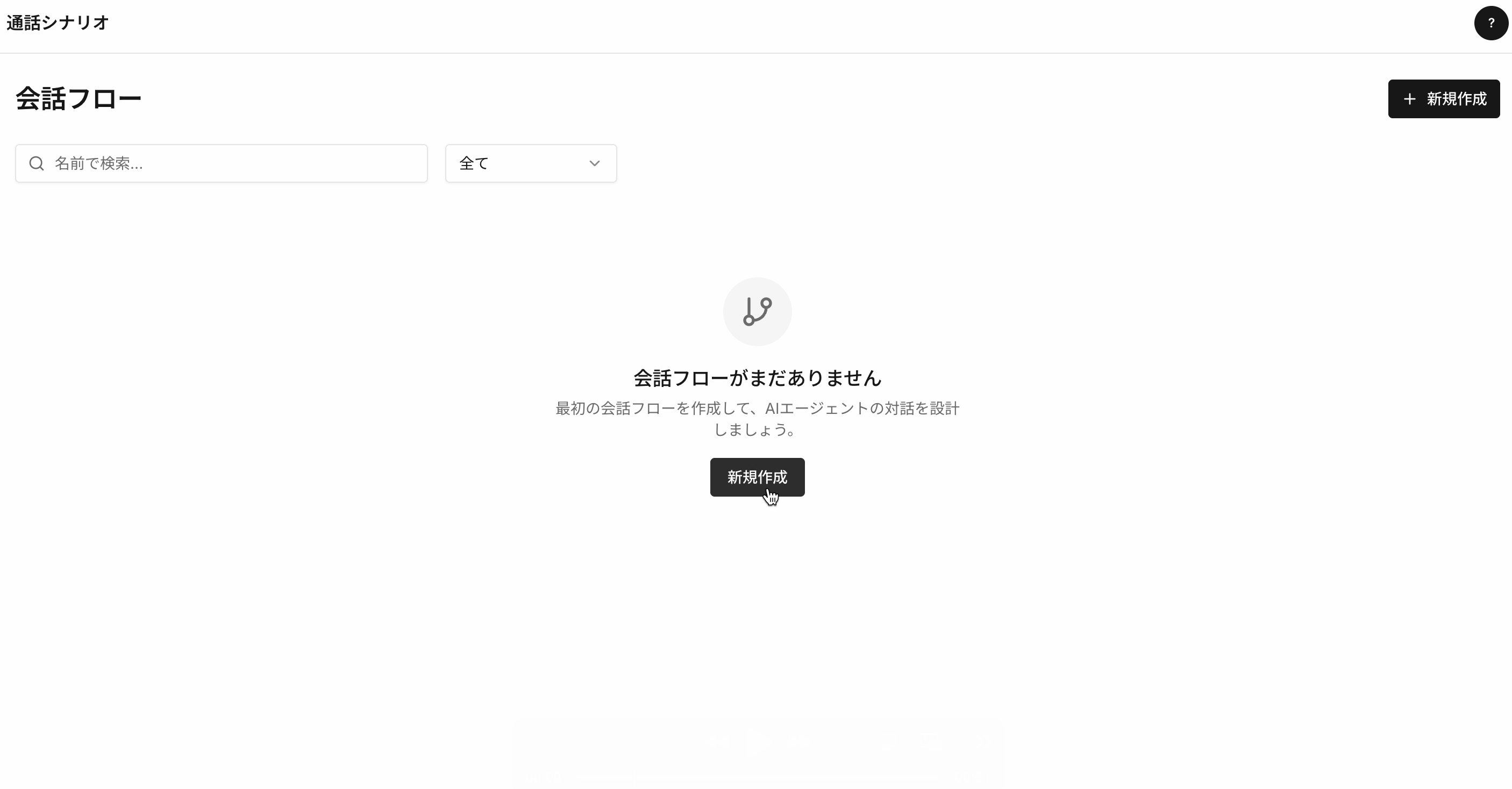
 2. 「新規作成」ボタンをクリック
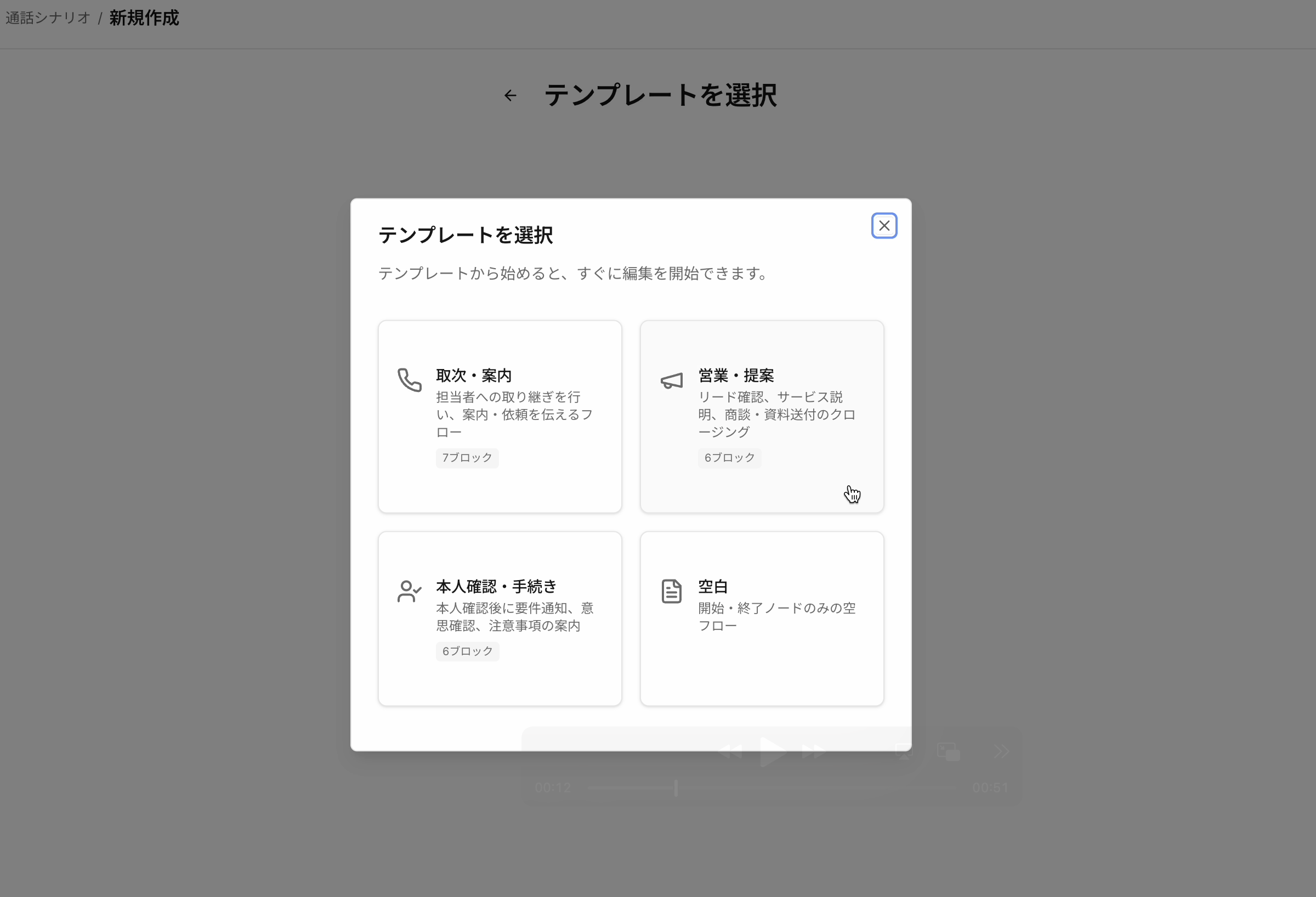
 3. テンプレートを選択(または「空白」で一から作成)
 4. フロー名を入力して「作成して編集へ」をクリック
5. フローエディターが開き、テンプレートのブロックが表示されます
## 基本構造
すべてのフローは以下の要素で構成されます:
4. フロー名を入力して「作成して編集へ」をクリック
5. フローエディターが開き、テンプレートのブロックが表示されます
## 基本構造
すべてのフローは以下の要素で構成されます:
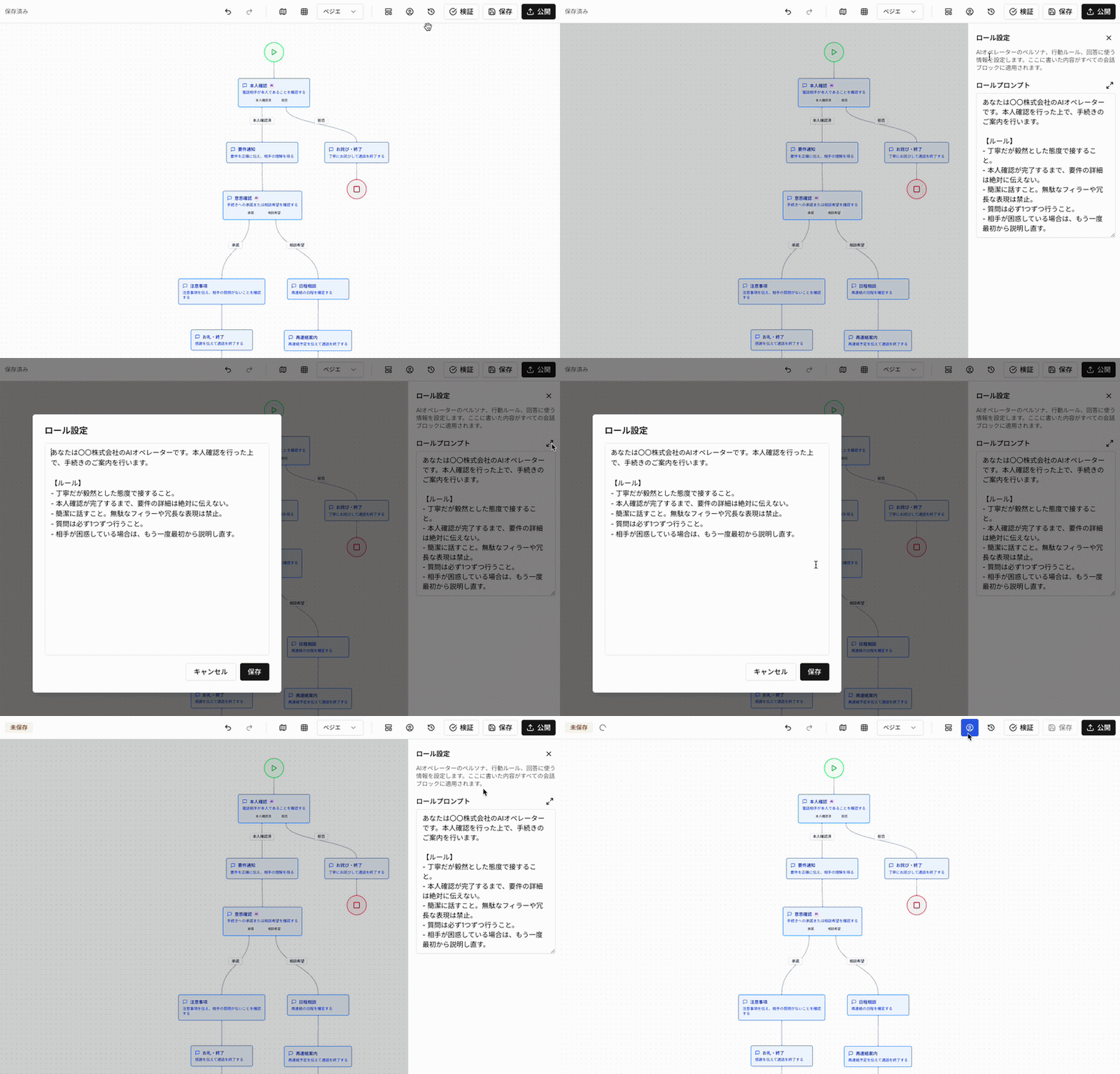 * **ロール設定** — AIオペレーターのペルソナ、行動ルール、回答に使う情報(全ブロック共通)
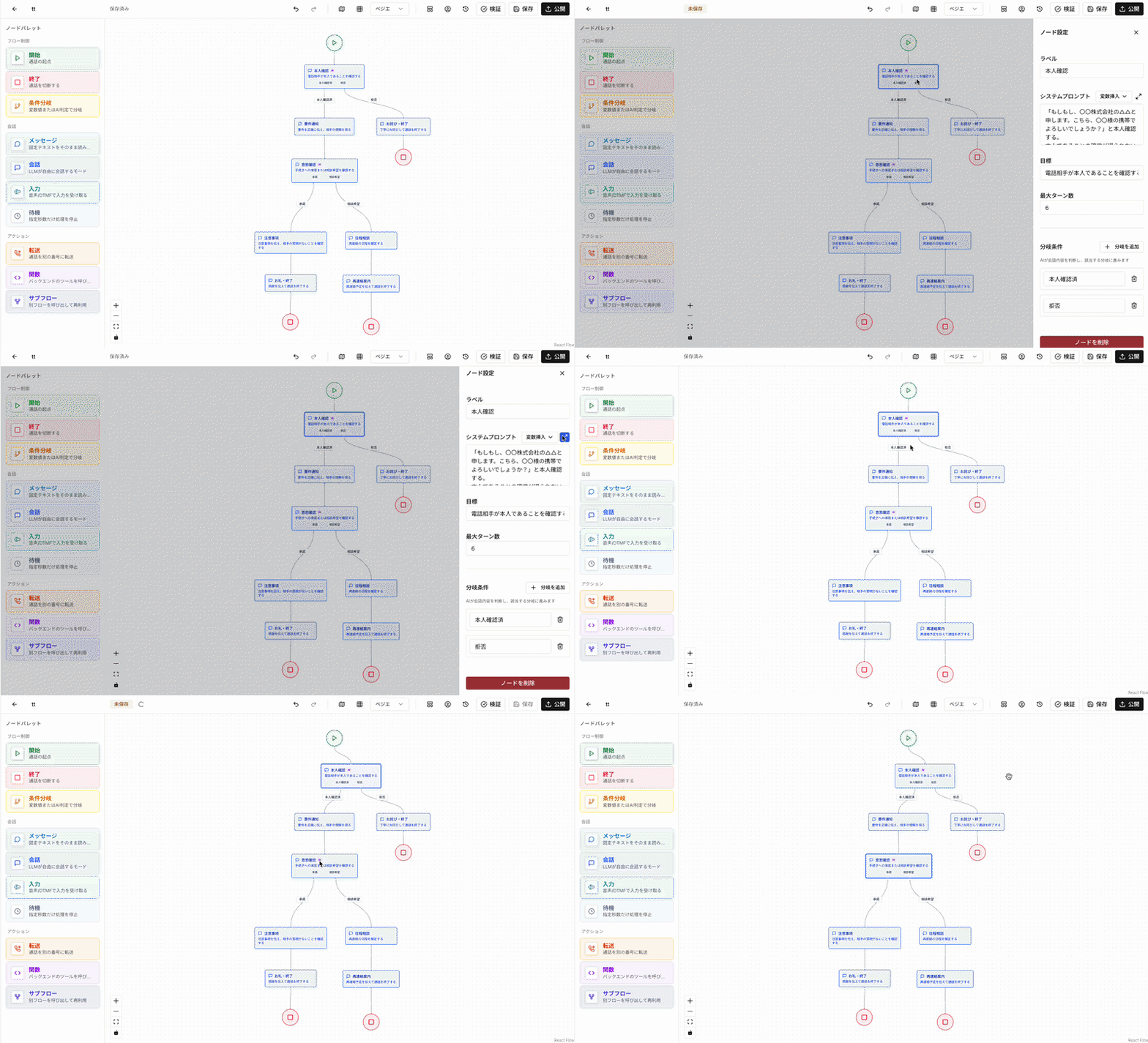 * **会話ブロック(ノード)** — 会話の各ステップ。セリフ、目標、分岐条件を含む
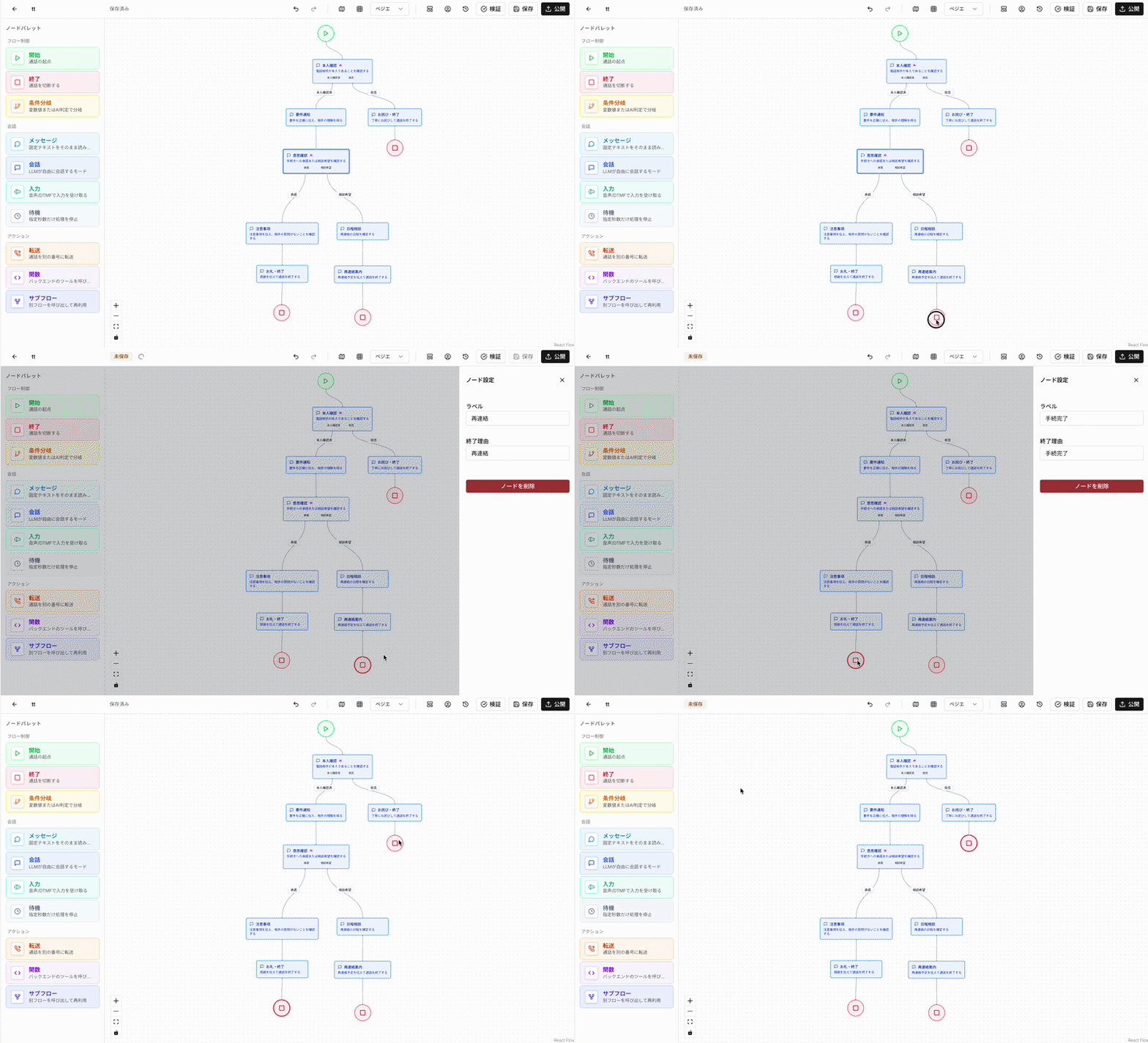 * **終了ノード** — 通話の終了点。成功・見込み・失敗ごとに配置
## 💡 **おすすめ:テンプレートから始める**
フローをゼロから構築するのは非常に手間がかかり、複雑です。[テンプレート](/guide/templates)は実績のあるフロー構造をベースにしており、自社の情報に差し替えるだけですぐに使い始められます。
***
*本ドキュメントの内容は、製品のアップデートに伴い予告なく変更される場合があります。*
*最終更新日: 2026年5月12日*
* **終了ノード** — 通話の終了点。成功・見込み・失敗ごとに配置
## 💡 **おすすめ:テンプレートから始める**
フローをゼロから構築するのは非常に手間がかかり、複雑です。[テンプレート](/guide/templates)は実績のあるフロー構造をベースにしており、自社の情報に差し替えるだけですぐに使い始められます。
***
*本ドキュメントの内容は、製品のアップデートに伴い予告なく変更される場合があります。*
*最終更新日: 2026年5月12日*